
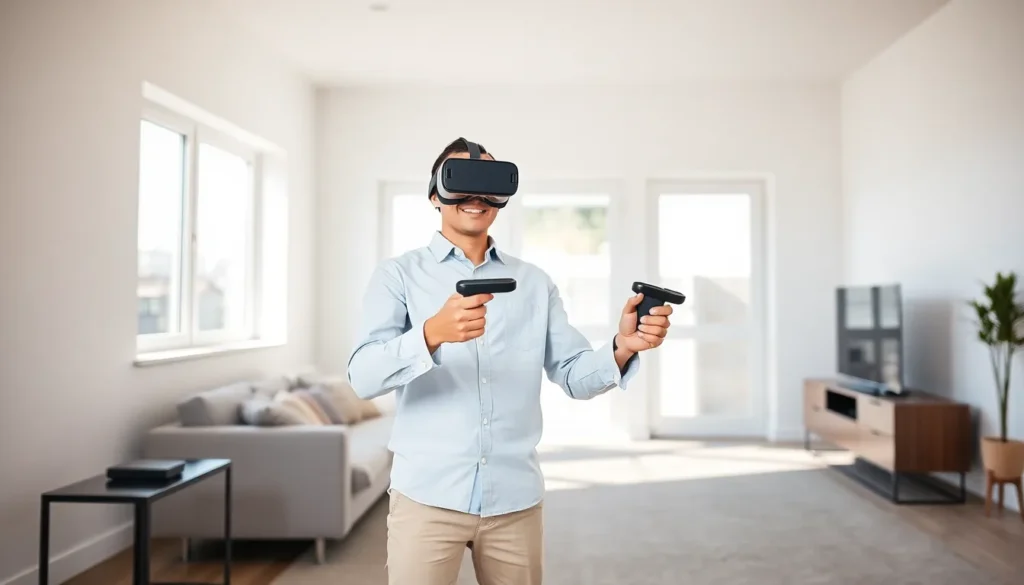
Virtual reality for beginners can feel overwhelming at first. There are headsets to compare, specs to decode, and a whole new way of interacting with digital content to learn. But here’s the good news: getting started is easier than most people think.
VR technology has matured significantly over the past few years. Prices have dropped, setup processes have simplified, and content libraries have expanded. Whether someone wants to explore immersive games, virtual travel experiences, or fitness applications, there’s never been a better time to jump in.
This guide covers everything a newcomer needs to know. It explains what virtual reality actually is, breaks down the different headset options, lists the essential equipment, and shares practical tips for staying comfortable and safe during VR sessions.
Table of Contents
ToggleKey Takeaways
- Virtual reality for beginners is more accessible than ever, with lower prices, simplified setup, and expanding content libraries.
- Standalone headsets like the Meta Quest 3 offer the best balance of affordability and ease of use for newcomers.
- Clear a play space of at least 6.5 by 6.5 feet and remove any obstacles before starting your VR sessions.
- Start with short, stationary VR experiences (15–20 minutes) to build tolerance and avoid motion sickness.
- Properly adjust your headset’s fit and IPD settings to prevent eye strain and headaches during use.
- Take regular breaks every 30–45 minutes and stop immediately if you experience dizziness or nausea.
What Is Virtual Reality and How Does It Work
Virtual reality creates a simulated environment that users can explore and interact with. Unlike traditional screens that display content in front of viewers, VR surrounds them with a 360-degree digital world. The experience feels immersive because the technology tricks the brain into perceiving a synthetic space as real.
A VR headset sits over the eyes and displays stereoscopic images, slightly different views for each eye. This creates depth perception, just like in the real world. When users turn their heads, motion sensors track the movement and update the display accordingly. The result? Looking left shows what’s to the left in the virtual space. Looking up reveals the virtual sky.
Most modern VR systems also track hand movements through controllers or hand-tracking cameras. Users can reach out and grab virtual objects, press buttons, or make gestures. Some advanced setups track the entire body, allowing users to walk around physical spaces that correspond to virtual environments.
The technology combines several components:
- Displays: High-resolution screens positioned close to the eyes
- Lenses: Optics that focus the image and create a wide field of view
- Motion sensors: Accelerometers and gyroscopes that detect head movement
- Audio: Spatial sound that changes based on orientation
- Processing: A computer, console, or built-in chipset that renders graphics in real-time
Virtual reality for beginners often starts with simpler experiences. Many first-time users try short demos or passive viewing experiences before jumping into fully interactive content.
Types of VR Headsets and Which One to Choose
VR headsets fall into three main categories: standalone, PC-powered, and console-based. Each type has trade-offs in terms of price, performance, and convenience.
Standalone Headsets
Standalone headsets contain all the necessary hardware inside the device. They don’t require external computers or consoles. The Meta Quest 3 is the most popular example. Users charge it, put it on, and start playing, no cables, no external setup.
Pros: Portable, affordable, easy to set up
Cons: Less graphical power than PC-based systems
For most people exploring virtual reality for beginners, standalone headsets offer the best balance of price and accessibility.
PC-Powered Headsets
PC VR headsets connect to gaming computers. They rely on the PC’s graphics card and processor to render visuals, which allows for higher fidelity experiences. The Valve Index and HP Reverb G2 are well-known options.
Pros: Best graphics quality, wider game library
Cons: Requires an expensive gaming PC, cables can restrict movement
Console-Based Headsets
Sony’s PlayStation VR2 connects to the PlayStation 5. It offers a middle ground between standalone simplicity and PC-level graphics.
Pros: Great performance, strong exclusive game lineup
Cons: Requires a PS5, limited to PlayStation ecosystem
When choosing a headset, consider these factors:
- Budget: Standalone units start around $300, while PC VR setups can exceed $1,500 total
- Space: Some headsets need external sensors: others track movement internally
- Content: Check which games or applications are available on each platform
- Comfort: Headset weight and strap design affect long-session comfort
Essential Equipment for Your First VR Setup
Starting with virtual reality for beginners requires more than just a headset. A few additional items make the experience better and safer.
The Headset and Controllers
Every VR system includes a headset and motion controllers. The controllers typically have buttons, triggers, and thumbsticks. They translate hand movements into the virtual space.
Play Space
Most VR experiences need some room to move. A cleared area of at least 6.5 feet by 6.5 feet works for most games. Remove furniture, rugs with raised edges, and anything breakable. Pets should stay out of the play area.
Comfortable Accessories
Stock headset straps work fine, but aftermarket options often improve comfort. Consider:
- Elite straps: Better weight distribution for longer sessions
- Prescription lens inserts: For glasses wearers who find wearing glasses under the headset uncomfortable
- Face covers: Replaceable foam or silicone covers for hygiene, especially if sharing the headset
Audio Options
Many headsets include built-in speakers. They work well for casual use. For deeper immersion, quality headphones can block outside noise and provide richer spatial audio.
Charging Solutions
Standalone headsets run on batteries. A charging dock keeps the headset ready for use. Some users buy portable battery packs that attach to the headset for extended play sessions.
Optional PC Requirements
For PC VR, the computer needs specific specs. Generally, a dedicated graphics card (like an NVIDIA RTX 3060 or better), 16GB of RAM, and a recent processor are minimum requirements. Check each headset’s official specifications for exact details.
Tips for a Comfortable and Safe VR Experience
Virtual reality for beginners comes with a learning curve. The technology can cause discomfort if users don’t take precautions. These tips help new users avoid common problems.
Start Slowly
Motion sickness affects many first-time VR users. The brain receives visual signals suggesting movement while the body stays still. This mismatch can cause nausea.
Begin with stationary experiences. Games where players stand in one place or use teleportation movement cause less discomfort than games with smooth locomotion. Limit early sessions to 15-20 minutes. Increase duration gradually as tolerance builds.
Adjust the Headset Properly
A poorly fitted headset causes eye strain and headaches. Adjust the interpupillary distance (IPD) to match the space between the eyes. Position the lenses so the image appears sharp. Tighten straps enough to prevent shifting but not so tight they cause pressure.
Take Regular Breaks
Even experienced users benefit from breaks. Every 30-45 minutes, remove the headset and focus on distant objects. This reduces eye fatigue. Stretching prevents muscle stiffness from standing in one position.
Stay Aware of Surroundings
VR blocks vision of the real world. Set up guardian boundaries, virtual walls that appear when users approach the edge of their play space. Keep the floor clear. Let others in the household know when VR is in use to prevent accidental collisions.
Hygiene Matters
VR headsets press against the face. Sweat and oils accumulate on foam padding. Clean the face cover regularly with appropriate wipes. If sharing the headset with others, consider washable or disposable covers.
Know When to Stop
If dizziness, nausea, or disorientation occur, stop immediately. These symptoms usually pass within minutes. Pushing through discomfort makes it worse and can create lasting negative associations with VR.


