
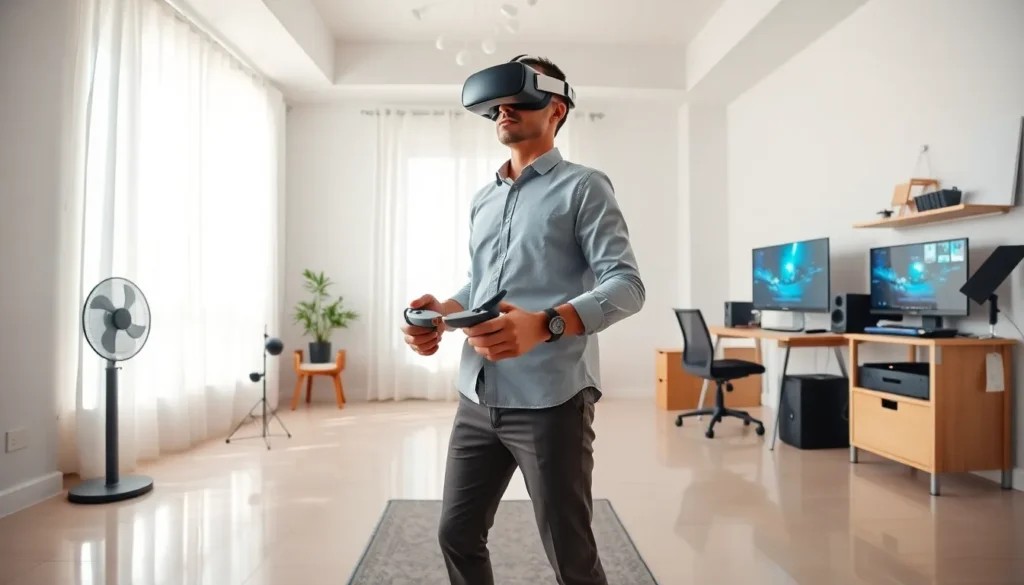
Virtual reality tips can transform an ordinary VR session into something genuinely immersive. Whether someone just unboxed their first headset or they’ve been exploring virtual worlds for months, small adjustments make a big difference. The technology has matured rapidly, but getting the best experience still requires some know-how. This guide covers the essentials, from setting up the perfect play area to keeping motion sickness at bay. Readers will learn how to optimize their headset, choose the right accessories, and maintain good hygiene practices. These practical virtual reality tips help users avoid common pitfalls and enjoy VR the way it’s meant to be experienced.
Table of Contents
ToggleKey Takeaways
- Set up a clear play space of at least 6.5 x 6.5 feet with soft, indirect lighting and use a small rug as a tactile boundary marker.
- Prevent motion sickness by starting with short, stationary VR experiences and gradually increasing session length as you build tolerance.
- Adjust your headset’s interpupillary distance (IPD) and strap tension for optimal visual clarity and long-term comfort.
- Invest in quality accessories like elite head straps and external battery packs to extend playtime and improve immersion.
- Practice good VR hygiene by cleaning lenses with microfiber cloths and wiping face interfaces after each session.
- Follow these virtual reality tips to protect your health—take breaks every 30–45 minutes and keep audio at safe levels.
Setting Up Your VR Space Properly
A well-prepared VR space prevents accidents and improves immersion. Users should start by measuring their available area. Most headsets require at least a 6.5 x 6.5 foot space for room-scale experiences, though standing or seated setups need less room.
Clearing the floor is essential. Pets, toys, cables, and furniture edges become hazards when users can’t see them. One of the most overlooked virtual reality tips involves lighting, bright overhead lights can interfere with headset tracking, while complete darkness causes similar problems. Soft, indirect lighting works best.
Users should mark their play boundary with a small rug or mat. This tactile cue helps them feel when they’re approaching the edge without breaking immersion. The guardian system built into most headsets adds a visual warning, but a physical reminder adds extra safety.
Cable management matters too. Wireless adapters solve this entirely, but wired users should route cables overhead using ceiling-mounted hooks or retractable systems. Stepping on a cable mid-game ruins the experience, and risks damaging expensive equipment.
Preventing Motion Sickness and Discomfort
Motion sickness remains the biggest barrier to VR enjoyment. It happens when visual input doesn’t match what the inner ear senses. The good news? Most people can build tolerance over time.
New users should start with stationary experiences. Games where the player stands still or teleports work better than those with smooth locomotion. Sessions should stay short at first, 15 to 20 minutes, then gradually extend as comfort improves.
Frame rate matters enormously here. Lower frame rates increase nausea risk. Users should ensure their PC or console maintains the headset’s target refresh rate (typically 72Hz to 120Hz). Closing background applications helps maintain smooth performance.
A fan pointed at the user provides a surprising benefit. The airflow gives the body a stationary reference point, reducing the disconnect between visual and physical sensations. Some users find that ginger supplements or acupressure wristbands help, though results vary.
These virtual reality tips for motion sickness prevention work for most people, but some individuals remain sensitive. Taking breaks at the first sign of discomfort prevents symptoms from escalating.
Optimizing Your Headset for Comfort and Clarity
Headset fit directly affects visual quality and long-term comfort. Users should adjust the interpupillary distance (IPD) setting to match their eye spacing. Most headsets include a physical slider or software adjustment for this. Incorrect IPD causes eyestrain and blurry visuals.
Strap tension requires a balance. Too loose and the headset shifts during movement: too tight and users develop pressure headaches. The sweet spot keeps the display stable without pressing hard against the face. Many users find that aftermarket straps with padding improve comfort dramatically.
Lens cleanliness affects clarity more than people realize. Microfiber cloths should be the only thing touching VR lenses, paper towels and shirt fabric cause micro-scratches over time. Users should clean lenses before each session.
For glasses wearers, prescription lens inserts offer a game-changing upgrade. They eliminate the hassle of fitting glasses inside the headset and prevent the lenses from scratching each other.
These virtual reality tips for headset optimization apply across brands. Whether someone uses a Meta Quest, PlayStation VR, or PC-tethered device, proper adjustment improves every session.
Essential Accessories and Upgrades to Consider
The right accessories extend session length and improve immersion. Here are the most worthwhile upgrades:
Elite or padded head straps distribute weight more evenly than stock straps. They reduce facial pressure and make longer sessions comfortable.
External battery packs solve the runtime problem. Quest users in particular benefit from clip-on batteries that add hours of playtime while also counterbalancing the front-heavy design.
Controller grips with knuckle straps let users open their hands without dropping controllers. This feels more natural during games that involve throwing or releasing objects.
Silicone face covers replace fabric interfaces for easier cleaning. They also prevent sweat absorption, which extends the life of the headset.
Prescription lens adapters were mentioned earlier, but they deserve emphasis. Glasses wearers report significantly better experiences after making this switch.
Haptic vests and gloves remain niche products, but they add physical feedback that deepens immersion. These suit enthusiasts willing to invest more heavily.
These virtual reality tips about accessories help users prioritize spending. Not every upgrade suits every person, but head straps and battery solutions offer the broadest benefits.
Best Practices for VR Safety and Hygiene
VR safety extends beyond clear play spaces. Users should take breaks every 30 to 45 minutes to rest their eyes and reconnect with physical surroundings. Extended sessions cause eye fatigue and can temporarily affect balance.
Children under 12 face higher risks. Most manufacturers recommend against VR use for young children because their visual systems are still developing. Parents should enforce strict time limits and supervise all sessions.
Hygiene matters more than many users realize. Face interfaces collect sweat, oils, and bacteria. Users should wipe down contact surfaces after each session using antibacterial wipes safe for electronics. Sharing headsets amplifies this concern, disposable face covers or easily swappable silicone interfaces help.
Users should also protect their headsets from sunlight. Even brief exposure through the lenses can burn the internal display. Headsets should be stored facing away from windows or inside cases.
Hearing protection deserves mention too. VR games often use loud sound effects, and users wearing headphones may not notice the volume creeping up. Keeping audio levels reasonable protects long-term hearing health.
These virtual reality tips about safety and hygiene seem basic, but they’re frequently ignored. Good habits preserve both user health and equipment lifespan.


